From 12 November until early on 14 November 2026, a Microsoft 365 outage disrupted Outlook, Teams, and other Microsoft services across regions. For many organizations, email and collaboration stopped working at the same moment, and the tools they'd use to coordinate the response were the ones that were down.
The short answer: when Microsoft Teams and Outlook go down, you need a backup channel that doesn't depend on Microsoft 365. That's out-of-band communication: a separate, pre-configured platform for messaging, voice, video, and file sharing, running on independent infrastructure and ready before the incident. Rocket.Chat is a secure communications platform built for this. It runs on-premises, in a secure cloud, or air-gapped, and organizations such as NATO CCDCOE and eu-LISA use it for secure collaboration that doesn't depend on a single provider.
What makes a good backup for Microsoft Teams?
A good Teams backup channel is one your people already know, that runs outside Microsoft 365, and that your organization controls. Look for five things:
- Independent infrastructure. Different hosting, identity, and network path from Microsoft 365, so one failure can't take out both.
- Ready before the incident. Accounts, channels, and runbooks set up in advance, not during the outage.
- The full toolkit. Messaging, threads, voice, video, screen sharing, and file sharing in one place, so teams don't juggle apps.
- Controlled access. A managed set of invited members, with end-to-end encryption and the ability to log out lost or compromised devices.
- A record you keep. Messages and decisions stored on your servers for audits and post-incident reviews.
Rocket.Chat covers all five, which is why it's used as an out-of-band communications platform for incident response.
Microsoft 365 backup communication options compared
When Teams goes down, organizations usually fall back on one of these. Only a dedicated out-of-band platform meets every requirement above.
| Backup option | Independent of Microsoft 365 | Ready in advance | Controlled membership | Organizational record |
|---|---|---|---|---|
| Consumer messaging apps on personal phones | Yes | Rarely | No | No |
| Phone calls and SMS trees | Yes | Partly | No | No |
| Personal or secondary email | Often not | No | No | Partly |
| Out-of-band communication platform (Rocket.Chat) | Yes | Yes | Yes | Yes |
What happened in the November Microsoft 365 outage
From around 16:17 UTC on November 12, users began losing access to their mailboxes through Outlook on the web, desktop Outlook, and mobile mail (Microsoft incident EX1550543). Microsoft later opened a second incident (MO1550821) for services that depend on Exchange Online, and said impact could reach any region.
- Outlook and Exchange Online: mailbox access failed and email delivery was delayed.
- Teams: calendar, meeting scheduling, and some chat functions were affected.
- Microsoft 365 Copilot, SharePoint, Planner, Intune, and Graph: features that rely on Exchange failed or timed out.
- Defender and Purview: some security and compliance portal pages didn't load.
Microsoft declared service restored at 04:17 UTC on November 14, about 36 hours after the first mailbox failures. Its preliminary explanation is that the incident was introduced by an issue during an earlier network capacity upgrade, and it has said the outage was not related to cyber activity.
Why your backup channel has to sit outside Microsoft 365
Most organizations run email, chat, meetings, calendars, and file sharing on one provider. That's efficient on a normal day. On a bad day, a single failure takes out every channel at once.
Without a planned backup, people improvise with whatever is at hand, and three problems follow:
- Nobody knows where to go. The first hour goes on finding each other.
- Nobody controls who's in. Contact lists are incomplete, and former staff or outsiders end up in the loop.
- Nothing is on the record. Decisions are scattered across personal devices, which is a problem for audits, regulators, and post-incident reviews.
A cyberattack makes this worse. If attackers are inside your primary systems, coordinating the response on those same systems lets them read it. That's why out-of-band communication is a standard part of incident response planning.
For organizations covered by the EU’s NIS2 Directive, it’s also a compliance question. Article 21 requires essential and important entities to put business continuity and crisis management in place, and to use “secured emergency communication systems within the entity, where appropriate.”
How Rocket.Chat works as a Microsoft 365 backup
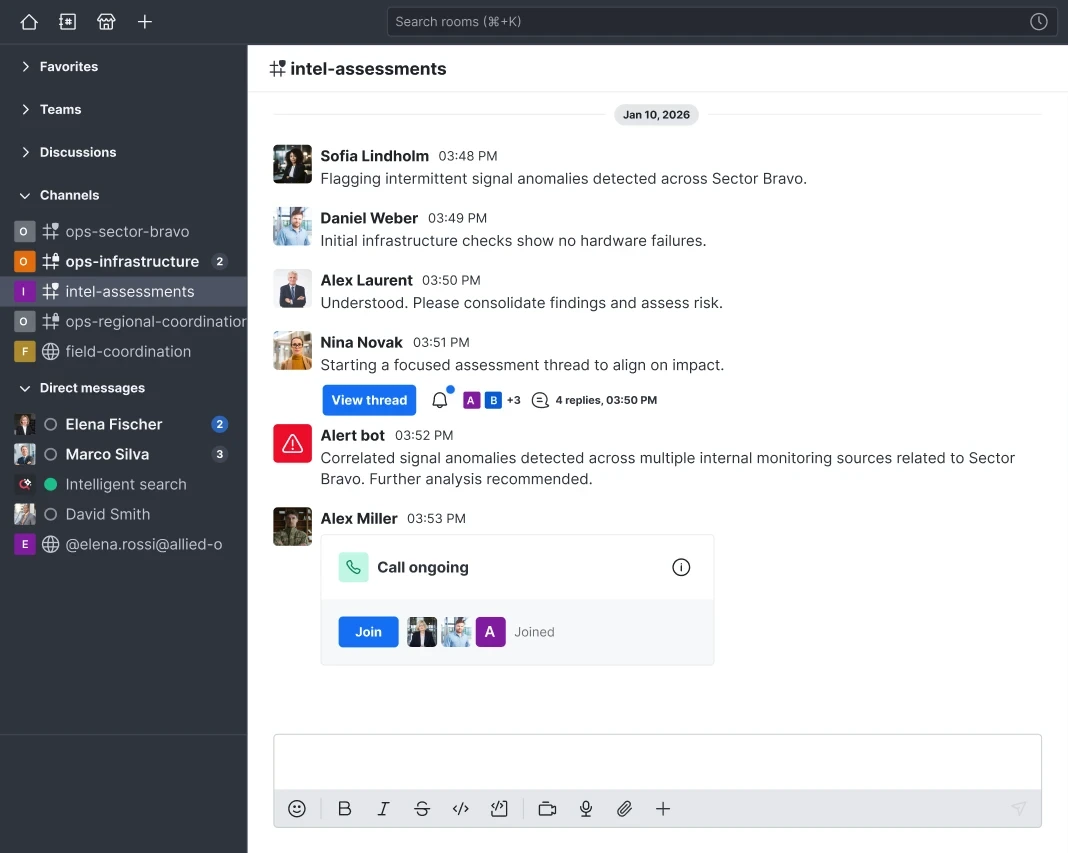
Rocket.Chat runs alongside Microsoft 365, not instead of it. It sits on separate infrastructure on standby, so when Teams or Outlook fails, your people already know where to go.
- Messaging, voice, video, and file sharing on one platform, plus screen sharing and webhook alerts from monitoring tools.
- Runs on-premises, in a secure cloud, or air-gapped, with high availability for surges when everyone logs on at once.
- No dependency on the systems that just failed.
- Out of an attacker's reach: end-to-end encryption, remote device logout, and audit logging. Push notifications carry only a message ID.
- Drilled in advance, so switching takes minutes, not hours.
Works with Teams on a normal day. Rocket.Chat's Microsoft Teams Bridge syncs messages both ways between a Rocket.Chat channel and Microsoft Teams, including files, links, emojis, edits, and deletes. Teams users and Rocket.Chat users stay in the same conversation, and nobody has to switch. That keeps your backup channel in daily use rather than sitting dormant, so when Microsoft 365 goes down, the conversation carries on in Rocket.Chat. Sensitive work stays native to Rocket.Chat and never crosses the bridge.
Rocket.Chat is ISO 27001 certified, has SOC 2 assurance, and is aligned with GDPR. During NATO CCDCOE's Locked Shields exercise, it connected teams from more than 40 nations. One U.S. city's emergency management team now brings its emergency operations center online in under 5 minutes, down from 45.
If you're weighing a full move away from Teams, see our guide to MS Teams alternatives for European government.
The network falls. Your line holds. See how out-of-band communication works with Rocket.Chat, or book a demo.
Frequently asked questions
What should I do when Microsoft Teams is down?
Switch to your pre-configured out-of-band backup channel, a platform that runs outside Microsoft 365, such as Rocket.Chat. If you don't have one, use phone calls to coordinate and set one up before the next outage.
What is the best backup for Microsoft Teams?
A secure communication platform on separate infrastructure, with accounts and channels set up in advance and a record your organization keeps. Rocket.Chat is one option, and its Teams Bridge lets it work alongside Teams day to day.
What is out-of-band communication?
A separate communication channel on independent infrastructure, set up in advance, that teams use when primary systems like email and chat are down or compromised.
Is there a failover or fallback for Microsoft Teams?
Microsoft builds redundancy into its own service, but a wide outage can affect every Microsoft 365 app at once. A true Teams failover runs on infrastructure outside Microsoft 365.
Why not just use WhatsApp or Signal during an outage?
They run on personal devices and accounts, so the organization doesn't control who's in the conversation or keep a record of the decisions made.
Can an out-of-band channel run air-gapped?
Yes. Rocket.Chat can run on-premises or fully air-gapped, with no internet dependency.
How often should we test our Teams backup?
At least twice a year, as part of incident response drills, so people know where to go and switching takes minutes.
Does NIS2 require a backup communication channel?
NIS2 requires essential and important entities to have business continuity and crisis management in place, and to use secured voice, video and text communications and secured emergency communication systems within the entity, where appropriate (Article 21). A backup communication channel on separate infrastructure is a practical way to meet those requirements, because it keeps secure messaging, voice and video working when primary systems are down.